 Unjumbl
The one-bag trash sweep
The quickest way to make a messy room look better is to remove what is plainly trash. Carry one bag, walk the room once, and leave every hard decision for later.
Why start with trash
Trash is the one category that needs no decision. Nobody agonises over an empty box or a dried-out pen. Removing it shrinks the pile fast, shows you how much real stuff is left, and gives you a visible win in about ten minutes.
1. Take one bag and set a timer
Use a normal bin bag, and a second one for recycling if you sort it. Set a timer for 10 to 15 minutes. See the 15-minute timer. Stop when it rings or when you have been once around the room, whichever comes first.
2. Walk the room once, in one direction
Go clockwise from the door. Pick up only what is clearly trash:
- packaging, boxes and wrapping you will not reuse
- broken items that nobody is going to fix
- expired food, dried-out pens and markers, dead flowers
- junk mail, old receipts and flyers
3. If you have to think, leave it
The rule that keeps the sweep fast is that anything which makes you pause stays where it is. A hard item is not a failure, it is a different job. Keep going, and come back to those with concrete keep-or-toss questions.
4. Know what does not go in the bag
Some things are trash to you but not to the bin. Batteries, electronics and cables, paint, medicines and anything sharp or hazardous usually need special collection. Put those in a separate box and look up your local rules. The garage guide covers the common ones.
5. Take it out right away
Tie the bag and carry it to the outside bin or the door before you do anything else. A full bag left in the room starts to look like part of the room, and some of it will come back out.
6. Stop and write down what is next
When the sweep is done, look at what is left. It is usually a donation pile and a few things to put away. Write the next step on a sticky note, for example giving the donation pile an exit date, and stop there.
A variation: three bags
If you want more from one pass, take three bags: trash, donate and put-away (or keep). It works, but the sweep is slower because every item now needs a choice. Start with one bag when you are short of time or energy.
Want a bag-run list made from a photo?
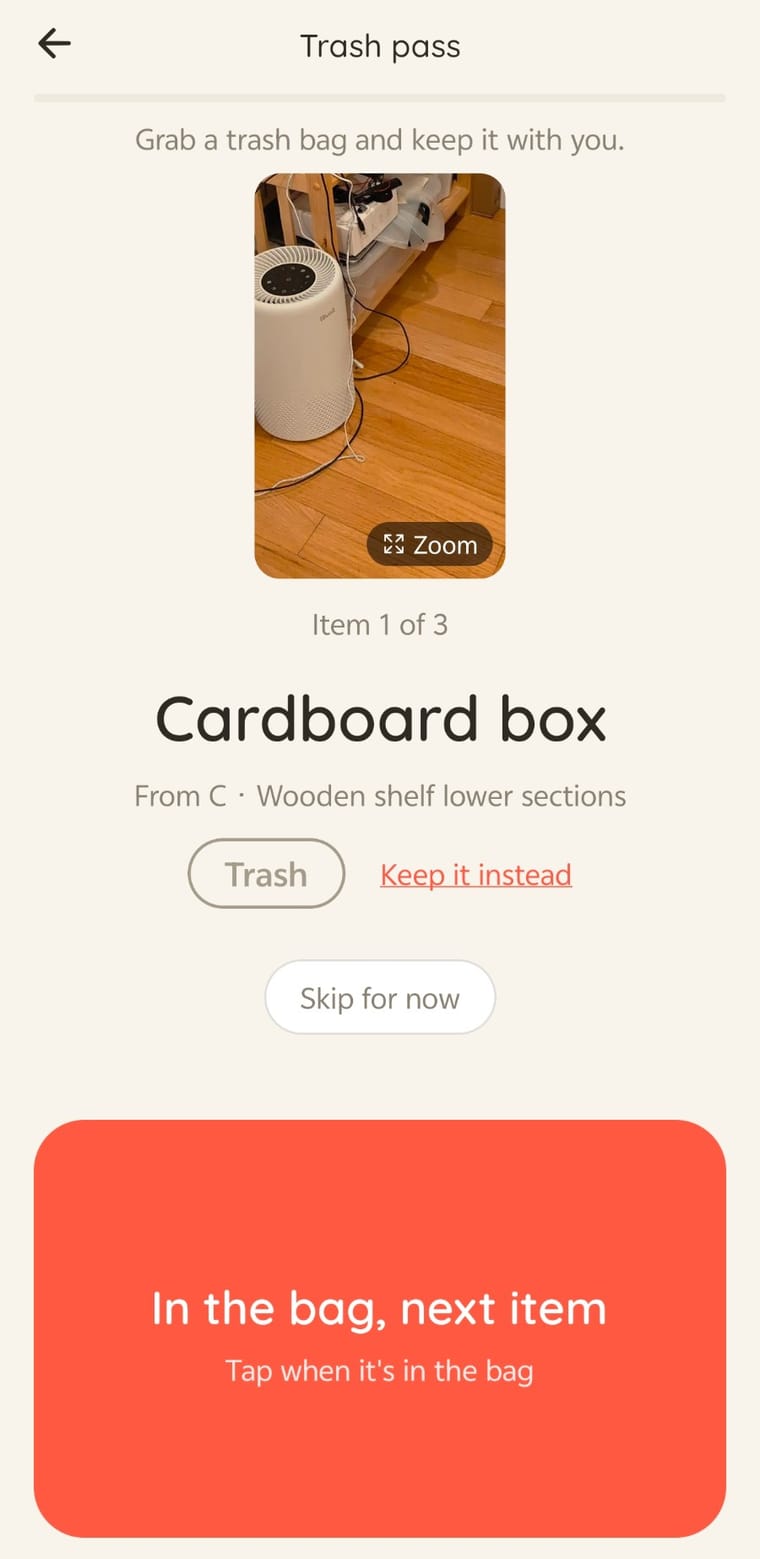
Unjumbl is a declutter app that turns a photo of a messy room into small 15-minute zones and marks the items that look like trash. Its Trash pass takes you through them one at a time, with an "In the bag, next item" button.