 Unjumbl
How to declutter one item at a time
A list of forty things is hard to start. One thing is easy. Working from a single item at a time keeps the whole pile out of your head.
Why one at a time works
A long checklist makes you look at everything at once: what is left, how far you are, what you should do first. That is the part that stalls people. When only one item is in view, the question gets small: what do I do with this?
1. Pick a small area first
One item at a time still needs a boundary, or it never ends. Choose a shelf, a drawer or one corner of the floor, and decide you will stop when it is done or after about 15 minutes. See the 15-minute timer.
2. Pick up one thing and decide
Take the nearest item. Give it one of a few outcomes: keep, donate or trash. Say it out loud if that helps. Do not look at the next item until this one has a place.
3. Act on it before you move on
Put the item where it goes: back on the shelf, into the donation bag, into the bin. The decision is not finished until the item has moved. Then take the next one.
4. Use a skip rule for the hard ones
Some items will stall you. Give yourself one skip: put it to one side, keep going, and come back to it at the end. If it is still undecided then, ask a concrete question such as "would I buy this again today?" There are fifteen more in keep or toss: 15 questions to ask about any item.
5. Keep going with the same small motion
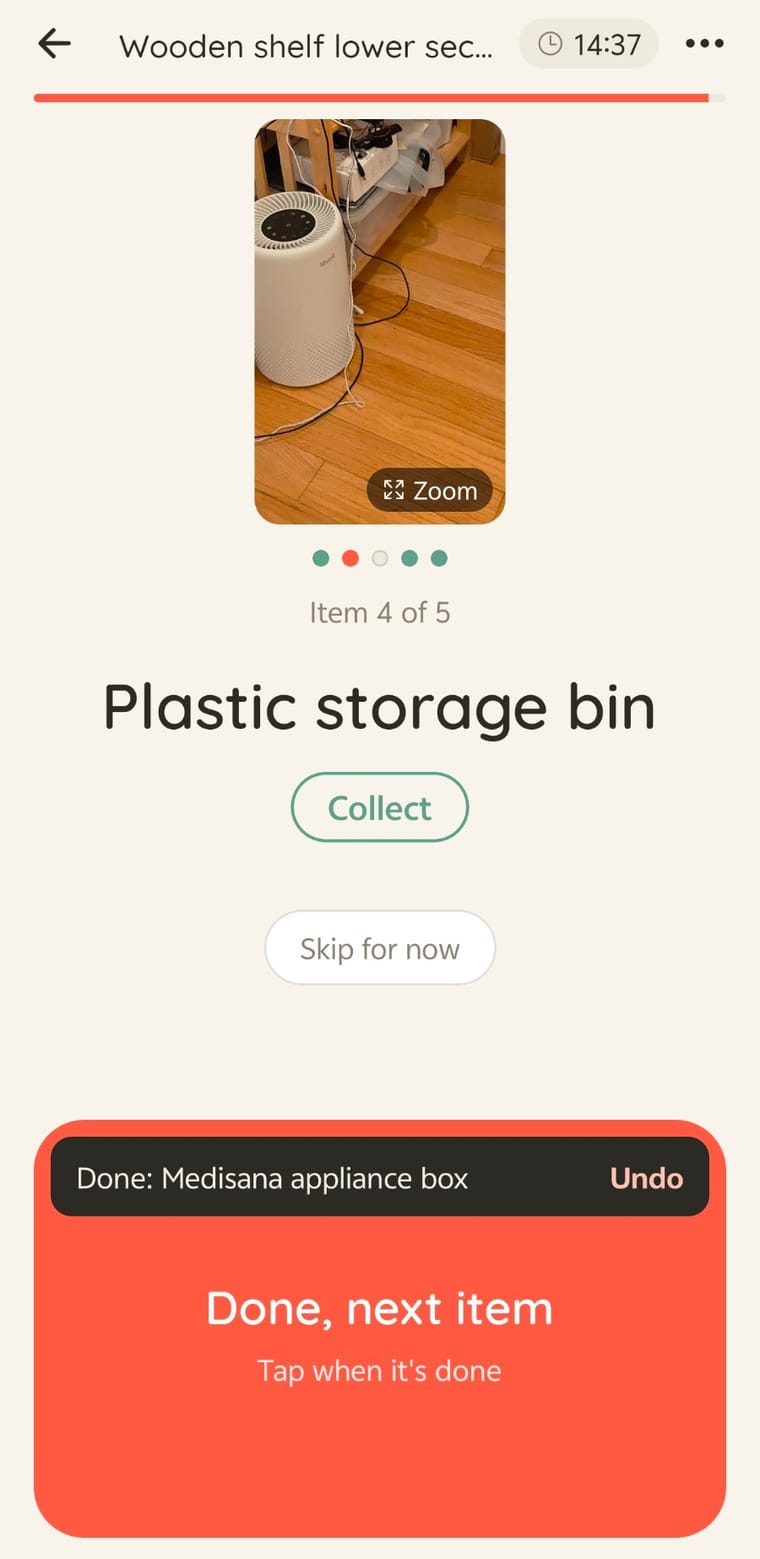
- Make the finishing move the easiest thing to do. With a bag in one hand and a box in the other, a small button means stopping to aim, so the "Done, next item" button in the screenshot is huge on purpose and the rest of the screen stays quiet. A short undo after each tap makes a mistake cost one tap.
- Don't sort the pile into categories first. That is a second job, and it delays the first.
- Stop when the time or the area is done. Stopping on time is what makes the next session easy to start.
Want it one item at a time on your phone?
Unjumbl is a declutter app that turns a photo of a messy room into small 15-minute zones. Its focus view shows one item at a time with a big Done, next item button, a timer from the zone estimate, and a Skip for now option.